The Dashboard is your home screen — tap any card to open that section full-screen.
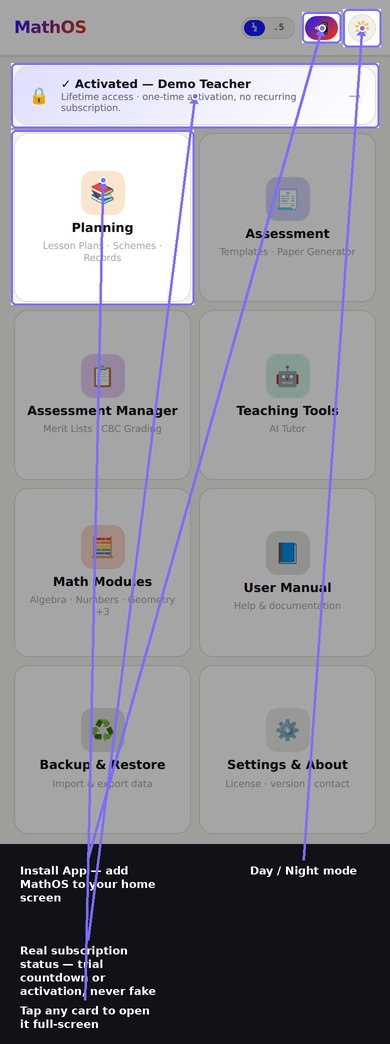
- Use the ‹ Back button (top-left of any page) to return to the Dashboard.
- The ☀️/🌙 button (top-right) switches between Day and Night mode.
- The Install App button adds MathOS to your home screen for faster, full-screen, offline access.
- The ½ / .5 pill switches how answers are displayed — as fractions or decimals.
Planning opens the Curriculum Engine, covering CBC Kenya grades 4–6. It has its own tab bar:
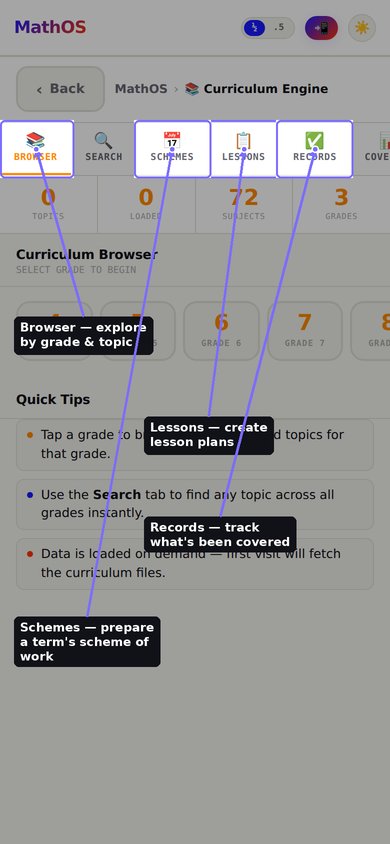
- Browser — explore subjects and topics by grade.
- Search — find any topic across all grades instantly.
- Schemes — prepare schemes of work for a term.
- Lessons — create and organize individual lesson plans.
- Records — keep track of what's actually been covered in each lesson.
- Coverage — see your progress through the curriculum at a glance.
All curriculum data is loaded on first use and then cached for fully offline access afterward.
Build and manage reusable exam questions here.
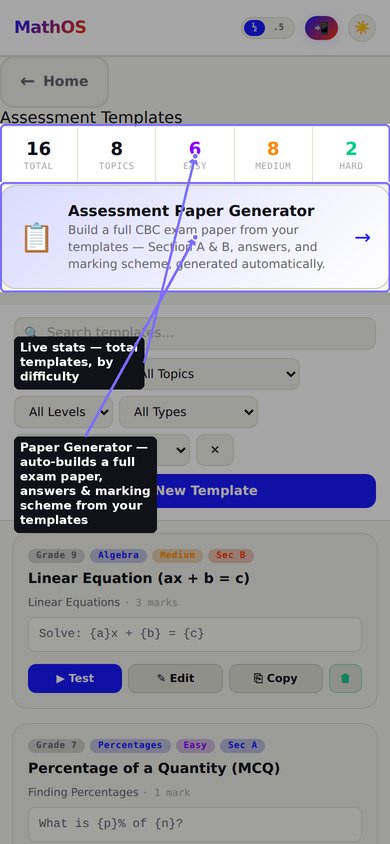
- Create Question Templates, organized by topic, difficulty, and section.
- Use the Assessment Paper Generator to automatically assemble a full CBC-style exam paper — Section A & B, an answer key, and a marking scheme — from your saved templates.
Once you've marked an exam, this is where results are processed — organised into clearly separated cards, with a large Generate Merit List button pinned to the bottom of the screen so you never have to hunt for it.
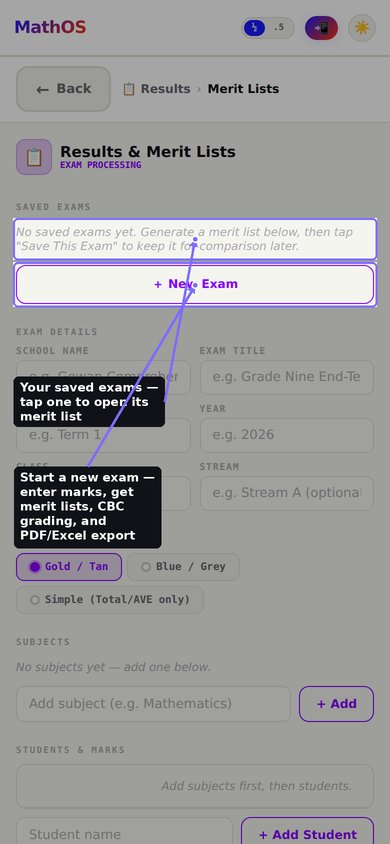
- Saved Exams — reopen a previous exam to review or re-export it, or duplicate one as a starting point.
- Exam Information — School Name, Exam Title, Term, Year, Class and Stream.
- Report Appearance (tap to expand/collapse) — choose a Report Style (Gold/Tan, Blue/Grey, Green/Forest, Maroon/Crimson, or Simple), Date Format, Decimal Places, and advanced Font Sizes for the printed report.
- KNEC Settings (tap to expand/collapse) — turn KNEC Mode ON to calculate KNEC Points out of 72 for Junior School classes (Grade 7–9), and choose whether to show the KNEC Points and KNEC Position columns. An info box explains exactly what KNEC Mode does and doesn't affect.
Flexible KNEC subject recognition. Different schools type learning areas differently, so the KNEC Points Engine automatically reconstructs the nine official KNEC learning areas from whatever labels you use:
- Pre-Technical Studies — enter it as one subject ("Pretech"), or split it into Business Studies ("BS") and Computer Studies ("Comp"). Whichever of these you enter, the app averages them into one official mark automatically.
- Creative Arts — enter it as one subject ("CA"), or split it into its branches: Visual Arts ("VA"), Performing Arts ("PA"), and Physical & Health Education ("PHE"), in any combination. The app always averages whichever branches exist into one official Creative Arts mark, and awards KNEC points for it only once.
A Recommended Learning Area Short Names card sits right above the subject entry box as a quick reference for the abbreviations that guarantee the most reliable recognition.
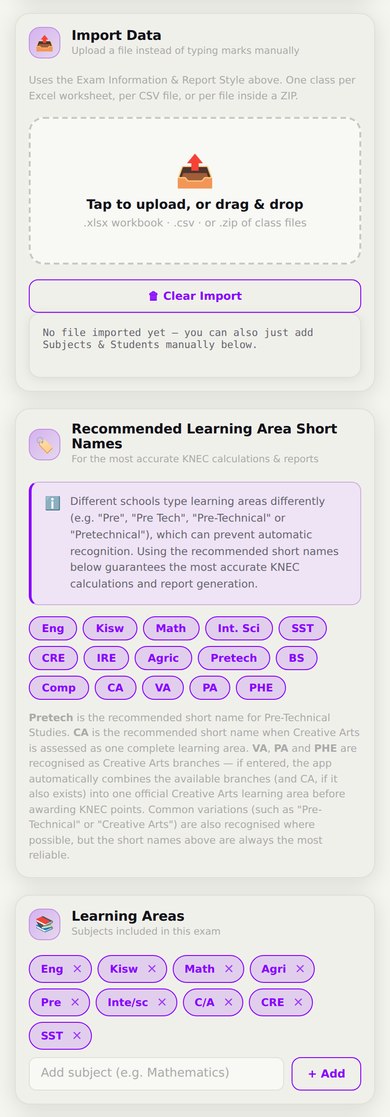
- Import Data — instead of typing marks manually, upload a class's marks as an Excel workbook (one sheet per class), a CSV, or a ZIP of files. The upload status is shown as a coloured status card, and any resulting Merit Lists appear in an "Imported Merit Lists" card below, ready to print or export individually or all at once (Excel + PDF ZIP).
- Learning Areas — add subjects one at a time; they appear as rounded chips so you can see at a glance what's been added.
- Students & Marks — the main working area: add students, enter marks per subject, or use Load Sample Data to try the page out. A Previous Total column (optional) enables a DEV (deviation) column once generated.
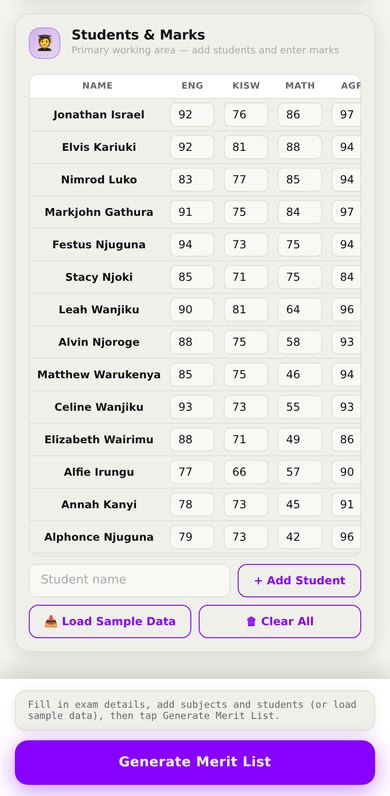
Once generated, review the ranked Merit List Preview, then export it as Excel or PDF, or save the exam for later. A Trends & Comparison card lets you compare performance between any two saved exams.
Never lose unfinished work. Everything you enter — exam details, subjects, students, marks, report settings and KNEC settings — is automatically saved as a Draft, fully offline, as you go. If you close the app or refresh the page before generating a Merit List, you'll be offered the chance to pick up right where you left off next time you open this page.
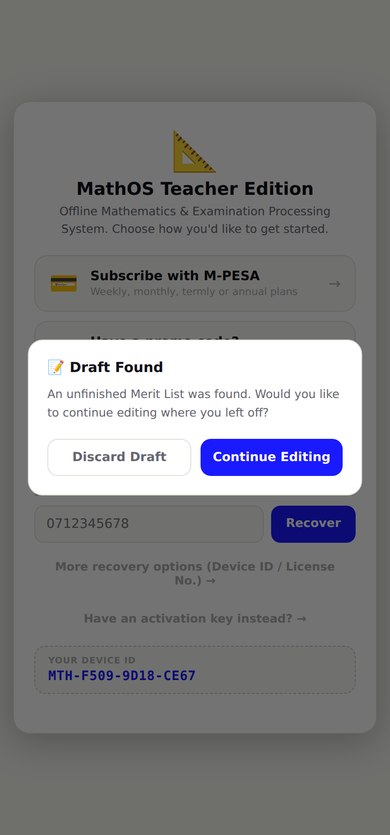
Choosing Continue Editing restores everything exactly as it was; Discard Draft permanently deletes it. Successfully generating a Merit List automatically clears the draft — Drafts and Saved Exams are kept as two completely separate features, so saving an exam never overwrites a draft and vice versa.
Ask the AI Tutor to solve word problems, algebra, money and finance questions, or almost anything else — with a full step-by-step explanation, not just the answer.
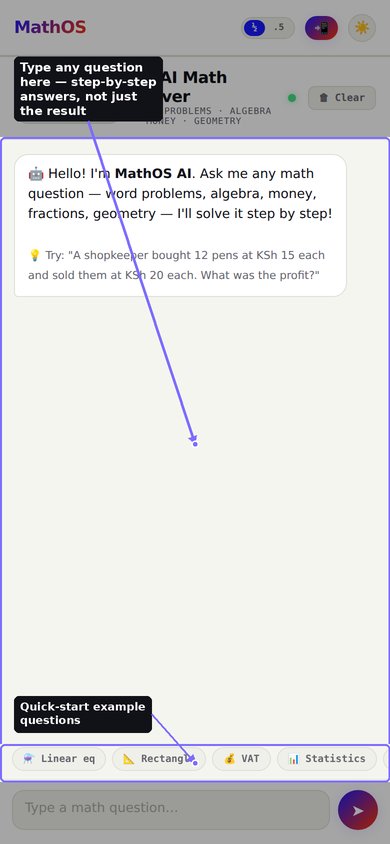
Requires an internet connection — unlike the rest of MathOS, this feature can't work offline.
Six focused calculators and reference tools, fully offline:
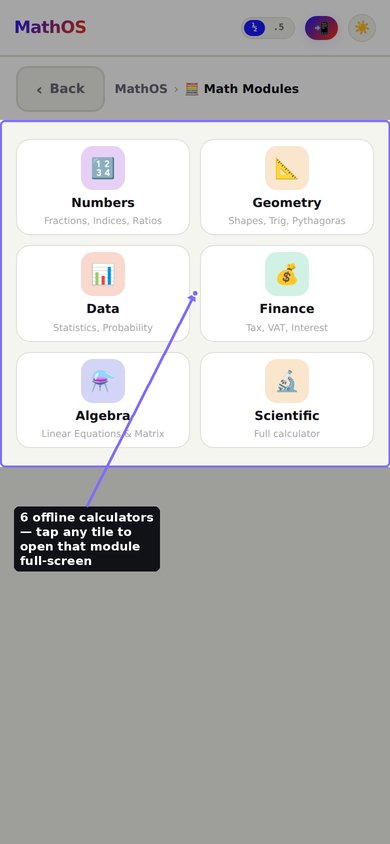
- Numbers — fractions, indices, ratios, sequences.
- Geometry — shapes, trigonometry, Pythagoras, graphing.
- Data — statistics, probability, speed calculations.
- Finance — tax, VAT, hire purchase, interest.
- Algebra — linear equations and matrices.
- Scientific — a full scientific calculator, also reachable directly from the Math Modules card.
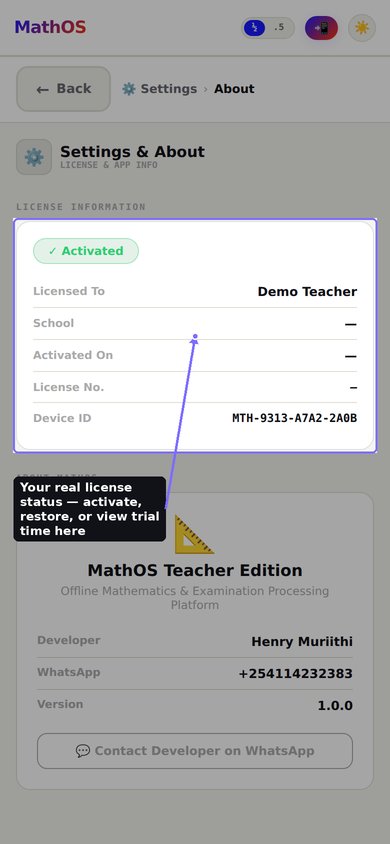
MathOS uses a one-time activation, not a recurring subscription.
- New installs start with a 5-hour free trial so you can try every feature.
- The banner at the top of the Dashboard always shows your real, live status — trial time remaining, or your activation once purchased.
- Already have a license? Use Restore Existing License or Enter Activation Key from the activation screen, or from Settings.
Find your license status, app version, and developer contact details here.
- MathOS is offline-first — everything except the AI Tutor works with no internet connection at all.
- Your templates, papers, records, and marks are stored locally on this device.
- Backup & Restore and full data export/import tools are planned for a future update.
⎣
⎦
HP Price = Deposit + (Installment × Months)
Interest = HP Price − Cash Price
Results are given in the same unit. A full unit-conversion table is shown below the answers.
💡 Try: "A shopkeeper bought 12 pens at KSh 15 each and sold them at KSh 20 each. What was the profit?"
Report AppearanceTheme, date format & precision
⌄
Font Sizes (advanced)
MathOS is an offline-first productivity platform designed to simplify teaching, assessment, learner analysis, and classroom management for Mathematics teachers, Class Teachers and Schools.
© 2026 HMCodee Technologies. All Rights Reserved.
name: range(min,max)name: range(min,max,step)name: range(min,max,step,distinct) — differs from other distinct varsname: set(a,b,c,…)name: expr(formula)Use
{name} in templates. Append :2dp for decimals: {x:2dp}
{varName} for variable substitution.{ans_final}. Use when the answer needs computing, e.g. (p/100)*n.(1 mark) or (2 marks). Step marks are auto-summed and checked against Marks Allocation.